Judge.me troubleshooting
Judge.me reviews not showing?
If stars or review text have disappeared, start with these four checks. A missing widget can be a configuration choice or a display problem; confirm which before changing your theme.
Checked against Judge.me documentation on October 31, 2026.
1. Confirm the reviews are published for this product
Open Reviews in Judge.me and find the affected product. Check that its reviews are published, rather than pending, hidden, or archived. Imported store reviews and reviews assigned to another product do not prove that this product should display reviews.
Judge.me: publishing and hiding reviews2. Check the live theme and product template
In Shopify, open Online Store > Themes and edit the live theme. Confirm that Judge.me app embed is enabled and the Review Widget block is present on the template used by the affected product. Repeat this check after changing themes or product templates.
Judge.me: adding the Review Widget3. Check the star badge separately from review text
The Star Rating Badge and Review Widget are separate components. Stars beside the product title do not confirm that the review text is loading farther down the page. Check both on the public product page.
Judge.me: Star Rating Badge4. Compare desktop and mobile on the public page
Open the same product in a private browser window on a computer and phone. Compare the stars and review text. If only one layout is affected, inspect responsive theme settings and custom CSS. Widget upgrades can require updates to custom CSS selectors.
Judge.me: widget settings and custom CSSReviews are visible, but Google rating data is missing?
Visible reviews and AggregateRating structured data are different checks. Use Google's Rich Results Test to inspect product data, then review Judge.me and theme settings. Missing search data does not by itself mean shoppers cannot see reviews, and valid markup does not guarantee a Google rich result.
Open Google's Rich Results TestWhat a mobile-only display issue looks like
Desktop: reviews presentMobile: review text missing
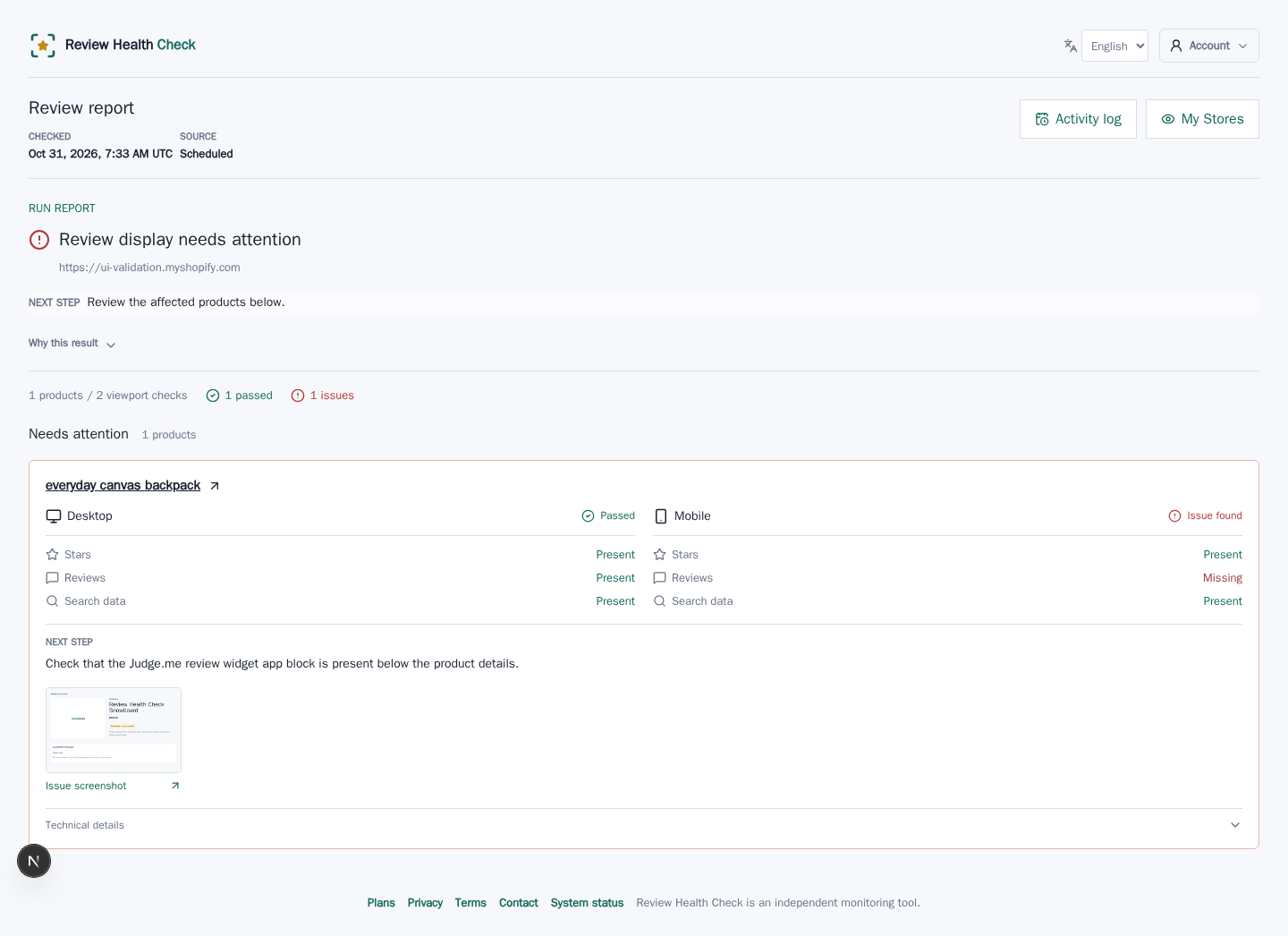
Verified on our own test store
A real alert after reviews stopped displaying
On October 19, 2026, we tested a public Shopify store using Judge.me. After reviews were deliberately made unavailable for a product with a saved healthy baseline, the next check detected missing stars and review text on desktop and mobile. The alert email arrived in our inbox.
- BeforeThe product had reviews and its previous check was healthy.
- Next checkThe monitor detected 0 reviews, with the star badge and review widget missing in both viewports.
- Email receivedOne product was affected. Desktop and mobile were counted as two affected viewports, not two products.
High risk: reviews may have disappeared
This product previously had reviews, but the current audit detected 0 reviews.
Previous status: OK
Stars missing / review widget missing
1 affected product / 2 affected viewports
Shortened from the October 19 test email. Store and product URLs, recipient details, and internal IDs are omitted. This is our own test, not a customer incident or a delivery-time guarantee.
A missing signal cannot establish whether reviews were deleted, unpublished, or failed to load. Open the affected product and Judge.me to confirm the cause. This test verified detection and email receipt; recovery-email delivery was not confirmed as part of this example.
Notice when reviews disappear again
Review Health Check monitors public Shopify stores using Judge.me. Scheduled checks rotate through products and compare desktop and mobile review signals. After a baseline is saved, review display regressions can trigger email alerts. It detects problems; it does not repair your theme.
View plan details