Judge.me troubleshooting
Judge.me reviews disappeared after changing your Shopify theme?
Start with the new theme's integration, not a reinstall of the app. Check the published theme, app embed, and product blocks in that order.
Reviewed November 3, 2026. These steps are based on Shopify and Judge.me documentation, not a theme-switch experiment on our own store. They cover compatible Online Store 2.0 themes; older themes and page builders may need different installation steps.
1. Check the theme shoppers actually see
In Shopify, open Online Store > Themes. Identify the published theme before editing. Judge.me says widgets and their customizations do not automatically transfer when switching themes. Compare the previous theme's product blocks with the new theme, without deleting either theme.
Judge.me: reinstalling widgets after a theme change2. Enable Judge.me in that theme
Open the target theme's editor, select App embeds, enable Judge.me, and save. An installed app and an enabled app embed are different things. Shopify notes that apps need reactivation after changing the published theme.
Shopify: app blocks and app embeds3. Restore the review text on the right product template
Choose Products in the theme editor and open the template assigned to the affected product. Look for the Review Widget. If absent, add it through Add section > Apps, then save. Check for an existing block before adding another: duplicate blocks can display duplicate widgets.
Judge.me: adding the Review Widget4. Check the star badge separately
The Star Rating Badge and the Review Widget serve different purposes. Review text returning does not prove that the stars beside the product title are present. Use Judge.me's product-page badge installation instructions for your theme; collection-page stars are a separate placement.
Judge.me: Star Rating Badge5. Verify the public page, not just the editor
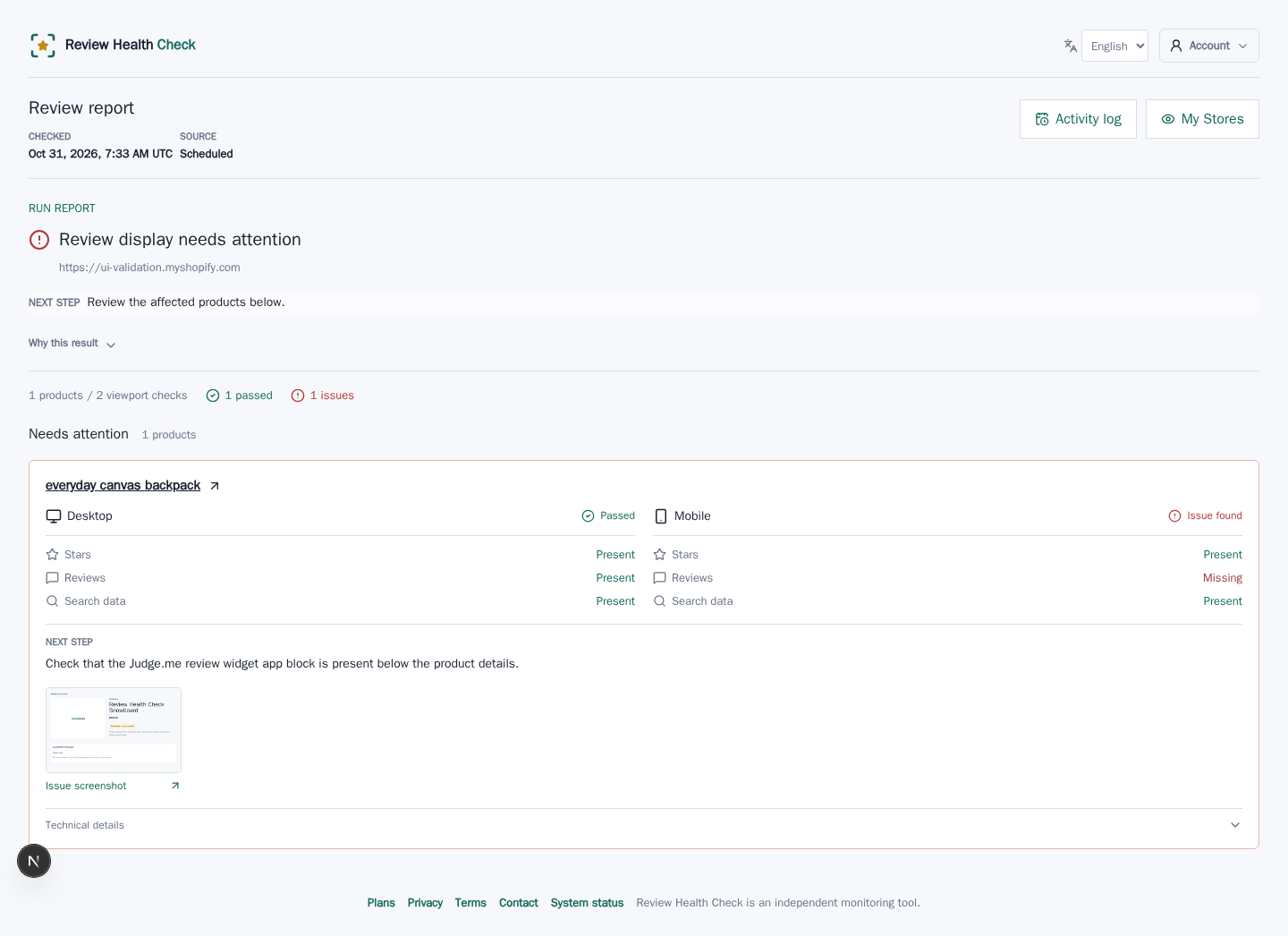
Open the clean product URL in a private browser on desktop and phone. Confirm both stars and review text. Repeat for products using other templates. The theme editor can show sample reviews that shoppers never see.
- Pass: the expected stars and published review text appear in both layouts.
- Needs attention: only stars return, one template fails, or mobile still hides reviews.
- Unknown: the page cannot load or is password protected. Do not count this as a healthy review display.
Why check both layouts?
Still missing after these checks?
If the app block is unavailable or the widget still fails, contact Judge.me support or your theme developer with the product URL, theme name, affected template, and desktop/mobile observations. Avoid pasting old Liquid snippets into the new theme without checking compatibility.
More causes: published reviews, mobile CSS, and Google rating dataAfter fixing it, keep a comparison baseline
Review Health Check compares review signals on public product pages and can email you when saved results regress. It cannot inspect your Shopify theme settings or repair blocks. Free Beta checks up to five products every seven days, rotating through discovered products; it is not an immediate post-publish check of every product.
View plan details